Voice Phishing Campaigns Targeting Corporate Executives
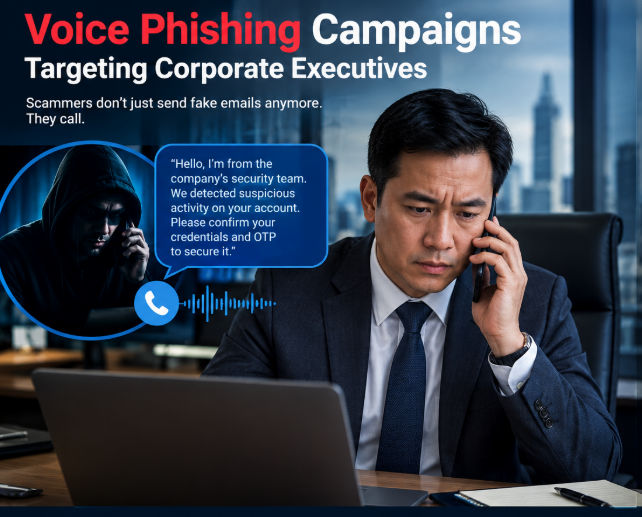
A wave of cyberattacks is targeting executives and other high-value employees through voice phishing and social engineering. Groups tracked as Helix, Pink, and PREY-0058 pose as internal IT help desk staff, reaching victims by phone or through external Microsoft Teams chats. Once they get a victim on the line, they push for login credentials, SSO session tokens, or OAuth device codes. From there, they will move fast by pulling sensitive files out of SharePoint, OneDrive, and Exchange, then demanding ransom.
The Attack Lifecycle
First contact, attackers call or message executives, finance staff, or legal personnel, spoofing caller IDs or naming conventions to look like internal IT. The pitch is usually urgent: a security migration gone wrong, a flagged account, something that needs fixing right now. Second, Stealing credentials and tokens, rather than a basic phishing page, these groups use a few techniques built to get around MFA by:
- Adversary-in-the-middle (AiTM): victims land on a spoofed portal (one example: passkeydeploy.com) that proxies a live login prompt and captures the resulting session token.
- OAuth device code flow: the victim is told to type an attacker-generated code into Microsoft’s actual login page, no fake site required.
- Remote access requests: victims are talked into starting a Quick Assist or screen-share session, letting the attacker run commands directly on the machine.
Third, locking in access, once inside, the attacker’s first move is usually registering a new MFA device or authenticator app on the account, giving them a way back in even if the original access point gets shut down. Fourth, Exfiltration and ransom, no malware, no ransomware encryption to trip alarms. Instead, automated scripts pull large volumes of executive email and enterprise files from SharePoint and OneDrive. Victims then get a ransom note with a 72-hour clock, threatening a leak site or a company-wide message through Teams if they don’t pay.
Basic Defensive priorities
Phishing-resistant MFA. Hardware keys (FIDO2/WebAuthn) or certificate-based auth tie session tokens to specific hardware and domains, closing off AiTM. Lock down Teams external access. Restrict external messaging and guest access to domains you’ve explicitly approved. Tighten conditional access. Require compliant or Azure AD-joined devices and trusted IP ranges for sensitive SaaS apps. Verify help desk requests out-of-band. Set up callback protocols or a shared passphrase before anyone grants remote access or completes an auth step for an “IT” request they didn’t initiate. Watch for the tells. Configure Sentinel or Defender for Cloud Apps to flag token replay, unusual residential proxy traffic, bulk SharePoint downloads, and new MFA device registrations.