Ransomware Remains a Serious Enterprise Cybersecurity Threat in 2026
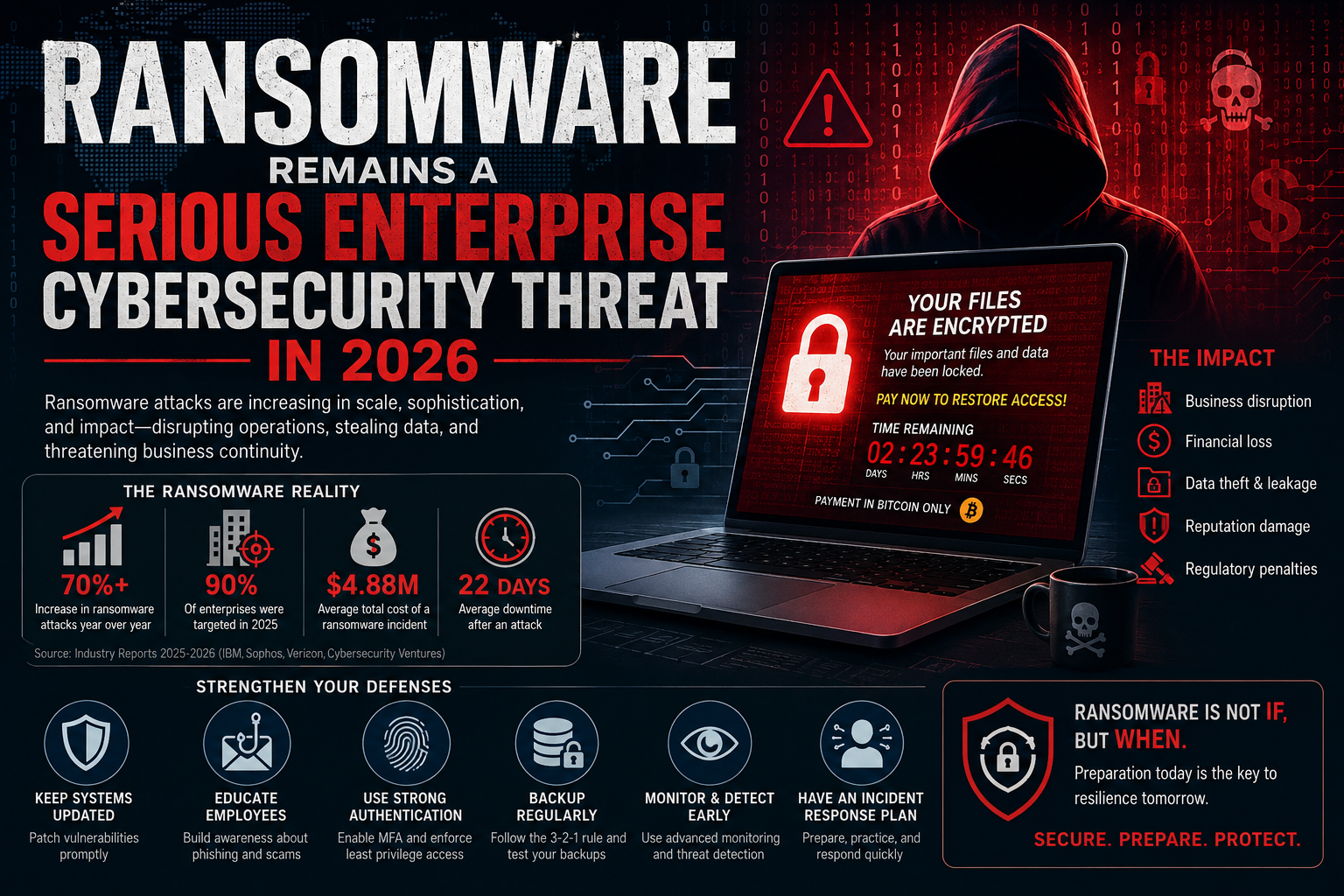
Ransomware is still one of the biggest cybersecurity threats organizations face in 2026. Hospitals, universities, banks, and government agencies all run on digital systems now, and when an attacker gets in, the fallout can shut down operations for weeks, not just lock a few files. The attacks themselves look different than they used to. It’s not just malware that encrypts your files and demands payment anymore. A typical attack today might start with a stolen password or an unpatched server, spread across the network, copy out sensitive data before touching the encryption step, and end with a ransom note threatening to leak everything if you don’t pay. Sometimes the encryption barely matters; the data theft is the real leverage. That’s the shift worth paying attention to ransomware isn’t an IT ticket anymore. It’s a business continuity problem, and it needs to sit on the same risk register as anything else that could shut the organization down.
Evolution of Ransomware Attack Methods
Traditionally, ransomware operated through a relatively simple model. Attackers infected a computer or network, encrypted files, and displayed a ransom message demanding payment in exchange for restoring access. That’s not how most attacks work anymore. Attackers typically get in through phishing, a stolen password, an exposed server, or a compromised VPN. After gaining initial access, they may attempt to obtain additional credentials and increase their privileges. They can then move through the organization’s network, identify valuable systems and information, and prepare for a larger attack. So, victims end up facing two threats at once such as losing access to their own systems, and the attacker threatening to leak whatever they stole.
Impact of Digital Dependence on Ransomware Risk
Modern enterprises depend on email systems, databases, cloud applications, financial platforms, customer relationship management systems, human resource systems, websites, payment services, and many other technologies. If the Ransomware takes any of it offline and the business can stop functioning within hours. What that looks like varies by industry. A hospital loses access to admin and records systems. A university can’t get students into their coursework. A factory line stalls because the systems running it are locked. A government office can’t process the services people are waiting on. The ransom itself is usually the smallest number in the whole mess. Lost revenue while things are down, the cost of actually recovering, legal fees, regulatory fines, a hit to reputation, compensating customers who were affected, and the plain loss of productivity while staff sit around waiting. It adds up fast, and most of it never shows up in the headline ransom figure people fixate on.
Legacy Systems and Vulnerability Management Challenges
One weakness that keeps showing up is old, unpatched systems. Big organizations run sprawling environments, thousands of machines, servers, apps, network gear, cloud services, and a chunk of it is legacy tech nobody wants to touch because ripping it out is expensive or just too risky. Leave a vulnerability unpatched for months and sooner or later someone finds it. That’s the case for asset management and vulnerability management as core prevention work, not a side task. An organization needs to know what it actually owns, which of that is exposed to the internet, where the known vulnerabilities sit, and which ones would actually hurt if exploited. Without that picture, patching just becomes guesswork.
Human Factor and Social Engineering Risks
Then there’s the human factor. Companies spend a lot on security tools, but employees are still the easiest way in. An attacker sends a message that looks like it’s from a manager, a colleague, a supplier, a bank, whatever fits, and asks the person to open an attachment, click a link, hand over a password, or approve a login request that looks routine. Once someone gets real credentials this way, their activity blends in with everyone else’s. Nothing about it looks unusual, because on paper it’s a legitimate user logging in and doing legitimate-looking things. A single training session a year doesn’t fix that. What works better is treating awareness as ongoing: people know what these attempts look like, and they know who to flag it to the moment something feels wrong.
Importance of Backup and Recovery Strategies
Backup and recovery matters just as much. Solid backups mean you can restore critical systems yourself instead of being stuck waiting on an attacker’s decryption key. But backups alone don’t save you. They need real protection, monitoring, and regular testing. If an attacker compromises production systems and the backups tied to them, recovery gets a lot harder, sometimes impossible. That’s why isolated, protected backup copies matter, along with actual restoration drills. Don’t just assume the backups will work. Prove it, before you’re the one finding out the hard way during an actual incident.
Business Continuity and Disaster Recovery Alignment
Ransomware prep and business continuity planning need to actually connect. Security teams focus on stopping and catching attacks. Continuity teams focus on keeping operations running when something breaks. Neither one covers the whole picture alone. Continuity plans should include ransomware specifically, not just the usual power outage or natural disaster scenarios. Leadership needs to work out, in advance: which systems can’t go down, how long each one can be offline before it’s a real problem, how employees communicate if email itself is compromised, how customers get told what’s happening, how systems actually come back online. None of that should get sorted out for the first time in the middle of an incident. Once ransomware hits, there’s no time left to figure out who’s supposed to call who.
Incident Response, Organizational Recovery, and Zero Trust Principles
Incident response is the other big piece. You need an actual structured process: prepare, detect, contain, eradicate, recover. Not a vague plan to figure it out as you go. Preparation means people already know their roles, communication channels are set up, technical controls are in place, backups are ready, and contact info for everyone you’d need, including outside help, is sitting somewhere accessible. Detection comes down to monitoring and having people who can tell normal activity from something wrong. The moment something looks off, isolate the affected systems and accounts before it spreads. Once the threat is actually gone, bring systems back online carefully and keep an eye on them. Then comes the part people skip sit down afterward and work out why it happened and what has to change. Skip that step and you just wait for the same thing to happen again. Zero Trust helps here too. The basic idea is simple: don’t trust something just because it happens to be inside the network perimeter. Every access request gets evaluated based on who’s asking, what device they’re using, and what the application actually needs. Least privilege is the part that matters most in practice. People get only the access their job requires, nothing extra “just in case.” If an account gets compromised, tight privileges mean the attacker is stuck with whatever that one account can touch, not a free pass to everything else on the network.
Endpoint Security and Detection Technologies
Endpoint security is another layer worth having. Traditional antivirus still catches plenty, but it’s not enough on its own anymore. Most organizations need something with more visibility, EDR tools that flag unusual processes, software that shouldn’t be there, weird authentication patterns, that kind of thing. None of it works in isolation, though. Endpoint tools have to connect to identity security, network monitoring, vulnerability management, security awareness training, incident response, and governance. Buy the best EDR product on the market and skip everything else, and an attacker just finds a different way in.
Artificial Intelligence in Cybersecurity and Attacks
AI is changing things on both sides now. Security teams use it to sort through alerts, catch patterns a person might miss, summarize what happened during an incident, and move faster when there are more alerts than people to look at them. Attackers get the same tools, though. AI helps them write more convincing phishing emails, automate parts of an attack that used to take manual work, and run more operations at once than they could before. So, AI security needs a seat at the table alongside endpoint protection and access control, not treated as some separate, futuristic add-on.
Future Evolution of Ransomware Threats
ransomware isn’t going to stay still either. As organizations adopt more AI, more cloud services, more third-party vendors, more remote work, more interconnected systems, the attack surface just keeps growing along with it. Every new tool or integration is also a new door someone could walk through. Attackers will keep adapting, going after whatever’s weakest at the moment, whether that’s a technology gap, an identity management flaw, someone falling for a phishing email, or a process nobody bothered to lock down. Which means the defence side can’t stand still either. Whatever’s working today probably won’t be enough in two years. Ransomware is still a serious threat in 2026, mostly because organizations depend on digital systems more than they used to. It’s not just file encryption anymore. Identity gets compromised, vulnerabilities get exploited, attackers move through networks, steal data, disrupt operations, and use all of it as leverage. Defending against that means covering people, process, technology, governance, and continuity planning together. Picking one and hoping it covers the rest doesn’t work. The real question isn’t whether an organization can block every single attack. Nobody can promise that. It’s whether they can catch an attack fast, contain it, keep the business running, and recover without falling apart. Security used to mean protecting computers and networks. Now it’s closer to protecting whether the organization can function at all such as deliver services, protect customer data, keep people’s trust. A bad ransomware incident tests every part of that at once. The organizations that treat resilience as an ongoing job, not a checkbox, are the ones that come out the other side of an incident still standing.